Top 5 Software to Make Money from Your Home Music Studio
Introduction
Today’s freelance audio creators have an unprecedented opportunity to turn their passion into profit thanks to advancements in technology and software. Whether you’re a beatmaker, podcaster, music producer, or YouTuber, leveraging the right tools can significantly boost your ability to make money from your home music studio. This means creating professional-level tracks, editing audio for clients, selling beats, syncing stock music, and much more—all from your own workspace.
Multiple income streams exist for home studio creators including beat selling, stock music licensing, mixing and mastering services, podcast editing, and digital distribution. In this post, we’ll break down the top 5 categories of essential software to help you monetize your creative work effectively.
1. Make Money Home Music Studio with DAWs: Best Software for Music Production
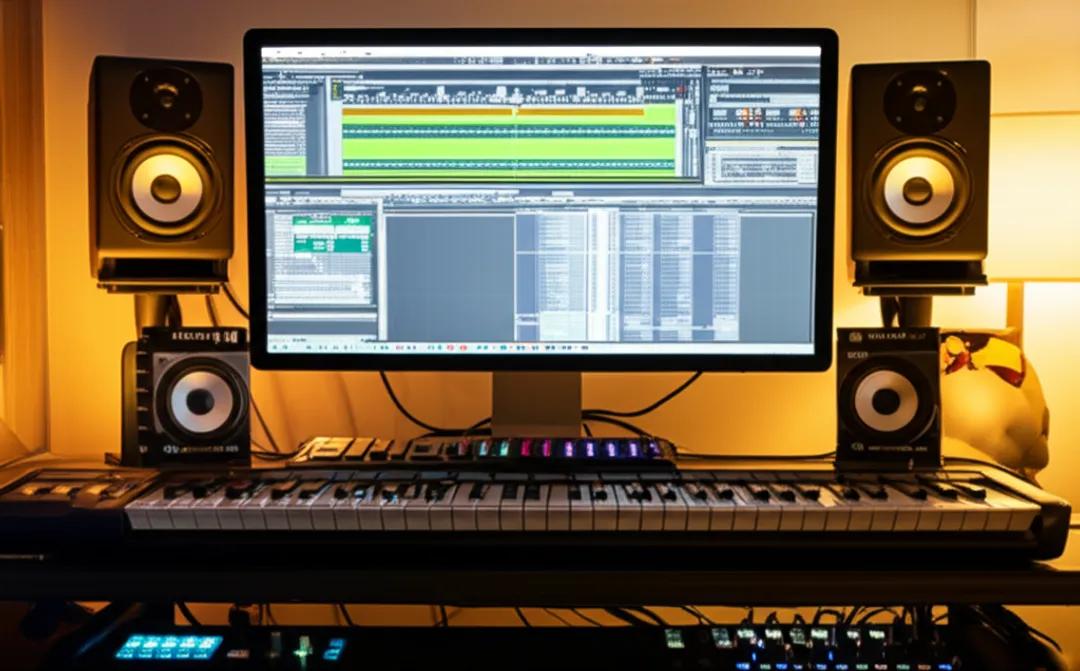
A Digital Audio Workstation (DAW) is the centerpiece of any home music production setup. This software allows you to compose, record, edit, and produce your music from start to finish. Mastery of a DAW is fundamental for freelance music producers aiming to create tracks for clients or for stock music platforms.
Top DAWs for freelancers include:
- Ableton Live: Favored for its intuitive workflow, extensive plugins, and excellent MIDI capabilities.
- FL Studio: Very popular among beatmakers for its step sequencer and ease of use.
- Logic Pro X: Mac-only, but a powerhouse with a comprehensive sound library and mixing tools.
These DAWs support professional-level music production, enabling you to craft tracks that meet industry standards. Producing high-quality audio is critical when uploading to stock music sites or delivering client projects, as quality influences your chances of sales and paid gigs.
For more on choosing a DAW, check out this best DAWs guide from MusicRadar.
2. Music Production Software for Beginners: Getting Started in Home Studio Music Production
If you’re new to home studio music production, beginner-friendly software is key. You want a DAW or music production software that won’t overwhelm you but can grow with your skills.
Great entry-level options include:
- GarageBand (Mac): Completely free and intuitive, great for learning basic production techniques.
- Reaper (Windows/Mac): Affordable, powerful, and highly customizable, suitable as you progress.
- Cakewalk by BandLab (Windows): Free, professional-grade DAW for Windows users.
Here are some tips for maximizing productivity with beginner software:
- Start with pre-made loops and templates to speed up creativity.
- Learn keyboard shortcuts to optimize your workflow.
- Regularly explore free plugins and tutorials to expand your capabilities.
3. Software to Sell Music Online: Platforms and Tools to Distribute Your Tracks
Producing music is half the battle; distribution is the other. Specific software and platforms simplify selling your music online by helping you format, tag, and distribute your tracks to major stock music sites and digital stores.
Look for tools like:
- TuneCore or DistroKid: Music distribution services that connect your tracks to Spotify, Apple Music, and more.
- DAW-integrated plugins that help prepare stems and loops consistent with stock music requirements.
Upload your work to marketplaces including AudioJungle, Pond5, and others where stock music licensing generates passive income.
Formatting tips:
- Keep your tracks WAV formatted at 44.1 kHz/16-bit or better.
- Include loop points and stem files to increase usability.
- Provide royalty-free metadata for easier cataloging.
For a comprehensive guide, visit How to Sell Music Online by LANDR.
4. Freelance Music Producer Tools: Beyond Music Creation
Making great music is just part of the freelance workflow. Equipping yourself with tools for mixing, mastering, and client management can expand your services and income.
Some must-have software includes:
- iZotope Ozone or Waves plugins for professional mastering.
- Adobe Audition for audio editing and podcast post-production.
- Business tools like Wave Accounting or FreshBooks for invoicing.
- Communication platforms like Slack or Trello for project management.
Offering remote services such as mixing or podcast editing can diversify your income using these applications.
Learn more about freelance music production tools at iZotope’s Guide.
5. Audio Editing Software for Money and Beat Making Software for Profit
Quality audio editing is crucial to create market-ready music. Software options such as:
- Adobe Audition: Advanced audio cleanup and multitrack editing.
- Audacity: Free and open-source, great for editing podcasts and quick fixes.
When it comes to beat making software focused on profit, consider:
- Native Instruments Maschine: Combines hardware and software for dynamic beat creation.
- Serato Studio: Designed with DJs and beatmakers to produce tracks quickly.
Creating beats and stems with these tools allows you to tailor your content for licensing, sample packs, and client delivery.
6. Stock Music Selling Software and Music Monetization Software: Growing Your Income Streams
Specialized stock music selling software improves sales efficiency by handling tagging, metadata, and rights management automatically. Some tools to explore:
- Soundreef and Songtradr: Platforms offering comprehensive licensing and royalty management.
- Plugins and software that embed metadata compliant with music libraries, increasing discoverability.
Utilize these to automate sales processes and protect your rights while diversifying income streams. Licensing your music on multiple platforms through integrated software widens reach and increases earnings.
Explore popular stock music platforms and management tools at Audiomicro’s Best Stock Music Sites.
7. Practical Tips for Using Software to Maximize Freelance Income
- Time management: Use calendar and task management tools to juggle multiple client projects efficiently.
- Marketing: Leverage social media scheduling software and portfolio websites to promote your services.
- Continuous learning: Stay updated on software features and new plugins by subscribing to tutorials and online courses.
Combining disciplined workflow with the right software arsenal empowers you to scale your freelancing business sustainably.
Conclusion
To sum up, these 5 essential software categories––DAWs, beginner-friendly production tools, music selling platforms, freelance production utilities, and audio editing/beat making software––form the backbone of a profitable home studio setup. By integrating these options into your workflow and continuing to hone your skills, you pave the way for a thriving freelance music business built around your passion.
Ready to elevate your home music studio and start making money? Explore our in-depth guides, tutorials, and gear reviews right here on MyMusicMachine.com to take your creative career to the next level.
Stay Connected!
📧 Subscribe to our newsletter for weekly tips on music production software, monetization strategies, and freelancing advice.
🔗 Check out our Best DAW Software Guide and How to Sell Music Online for expert insights and tools.
Start transforming your home music studio into a profit powerhouse today!